Internet Box Card
Internet boxes from France to Canada at a glance, Freebox, Livebox, FRITZ!Box, Vodafone Station, Starlink and more.
Download and upload rates, connection, temperatures, fans, storage, Wi-Fi, missed calls and connected devices for eleven box integrations. The header icon shows the kind of connection with the operator's logo as a badge, and the colours and links follow the detected box, down to the provider of a rebranded gateway.
Highlights
- Freebox, Livebox, SFR Box and Bbox (France), the Bbox through either of its integrations
- FRITZ!Box, Vodafone Station, Swisscom Internet-Box, KPN Box 12
- Sagemcom F@st gateways branded by their provider (Telekom, BT, Bell, Proximus, KPN, eir…)
- Huawei LTE and ZTE 4G / 5G routers, Starlink
- Header icon by connection type (fibre, xDSL, 4G / 5G, satellite) with the operator logo badge, tinted by the link state
- Box picture and model detected automatically, generic pictures in the provider's colour
- Connection type, public IP and uptime
- Real link status of the Livebox and the SFR Box
- Livebox fibre rates read from the GPON or SFP interface, Arcadyan and Sagemcom Livebox Fibre included
- Download and upload rates with their last 24 hours, gaps shown as gaps
- Temperature and disk thresholds you can set
- Wi-Fi networks, connected devices and missed calls
- Wi-Fi switch turning the box's Wi-Fi on, or off after a confirmation
- Compact mini card
- Last Speedtest.net result (download, upload, ping) found automatically, or Fast.com
- Sensors of your choice, for another speed test (LibreSpeed, Speedtest Tracker…) or the box's own values
- A button to run a new speed test from the card, with Speedtest.net, Fast.com or an entity of your choice
Cards
type: custom:internet-box-cardInstall
- 1Open the repository in the Marketplace with the Add to Marketplace button above, or add
github.com/juju35/ha-internet-box-cardas a custom repository (category Dashboard). - 2Download it from the Marketplace.
- 3Reload the browser and add the card from the dashboard editor.
Gallery 15
Documentation
From the README Features
Features
- Two cards: a full Internet Box Card and a compact Internet Box Mini Card
- Detail button at the top right of the mini card: it shows the full card in its place (same box and options), and the collapse button, or a click anywhere outside the card, brings the compact view back (
zoom: falseremoves it) - Automatic discovery of the box entities, whatever the language of the entity ids (several boxes supported)
- Header icon of the kind of connection (fibre, xDSL, 4G / 5G, satellite, else a box) coloured with the state of the internet link like the status pill (green online, orange while the DSL line syncs, red offline or on a line fault, grey unavailable; the operator colour when the box reports no link state), with the operator logo as a badge; accent colour, website and admin links follow the detected operator, and the internet provider of the box model when it is not the integration's (a Bell Home Hub on the Sagemcom F@st integration, a KPN Box 12 on the Livebox one)
- Picture and commercial name of the box model, detected automatically or set with the
modeloption, and firmware version - Connection status and type (FTTH, xDSL, LTE, satellite…), public IPv4 (IPv6 on hover) and uptime, from the box tracker or the integration's own external IP and uptime sensors. The status is the real link state when the integration exposes it (Livebox WAN status, SFR Box WAN / DSL / FTTH status, with "Syncing" while the DSL line trains and "Line fault" on a line defect), else the box's own tracker
- The last speed test of the Speedtest.net or Fast.com integration (download, upload, ping) next to the uptime, found automatically, or of another speed test (LibreSpeed…) set in
entities, with a button that runs a new test (its icon turns while it runs) - Sensors of your choice for the box's values and the speed test, in YAML or in the visual editor
- Download / upload rates, in bytes (kB/s, MB/s) or bits (kb/s, Mb/s), with their last 24 hours drawn behind each tile, on the full card and the mini card (recorder statistics)
- Temperature gauges and fans speed
- Storage: free space of the disk partitions and RAID status
- Services: Wi-Fi state, missed calls and connected devices (the mini card footer always shows the missed calls, orange when there are some)
- A switch next to the Wi-Fi state (Services tile, header chip and mini card footer) turns the box's Wi-Fi on, or off after a confirmation popup; hidden while the Wi-Fi switch is unavailable
- A check button next to the missed calls marks them as read, shown only when there are missed calls and the integration has that button
- A restart button at the top right of the full card reboots the box, after a confirmation popup; shown only when the integration exposes it
- Colors turn orange / red when a threshold is crossed (temperatures, disk usage, missed calls); the temperature and disk usage thresholds can be set
- Click any value (except the connected devices count, a total over several trackers) to open its Home Assistant history (more-info dialog)
- Click the operator logo to open its website, and the box picture to open the box admin interface
- Visual editor in the dashboard UI for both cards (no YAML needed)
- Light and dark mode, 22 languages (English, French, German, Spanish, Serbian Cyrillic and Latin, Italian, Dutch, European Portuguese, Polish, Romanian, Danish, Swedish, Bulgarian, Russian, Ukrainian, Hungarian, Slovak, Czech, Slovenian, Latvian and Greek, see Translations)
- Unavailable entities (for example while the box restarts) are shown as unavailable, not as Wi-Fi off or 0 missed calls; the restart button is disabled meanwhile
- Sections view: the full card needs at least 9 columns, the mini card 6; on a narrow card the box picture gets smaller then hidden, and the status pill shows only its coloured dot
- Single file, no external dependency: the box pictures and operator logos are embedded (a provider whose logo file is not in
images/shows the connection icon without a badge)
Supported integrations
Supported integrations
Each section shows only what the integration exposes. Built-in integrations ship with Home Assistant; custom ones are installed from their repository.
France#
| Integration | Boxes | Discovered |
|---|---|---|
| Freebox (built in) | Free: Freebox Ultra, Pop, Delta, Revolution, mini 4K | Rates, connection, IP, uptime, temperatures, fans, storage, RAID, Wi-Fi, missed calls (mark as read), connected devices, reboot |
| Livebox (custom) | Orange: Livebox 4 to 7, Livebox S, Livebox Fibre | Line rates (xDSL) or WAN GPON / SFP interface rates (fibre, including the Arcadyan and Sagemcom Livebox Fibre), WAN status and link type, Wi-Fi, missed calls (clear), connected devices, reboot |
| SFR Box (built in) | SFR: SFR Box 7, 8, NB6VAC | DSL line sync rates, shown as "Line rate" (the integration has no throughput sensor, so no download / upload traffic nor 24 h curve), WAN / DSL / FTTH status (plus the DSL training, line status and access network sensors when enabled, they are disabled by default), temperature, reboot |
| Bbox (built in, YAML) or its fork custom_bbox (custom, YAML) | Bouygues Telecom: Bbox Fibre, Ultym, Miami | Download / upload bandwidth, uptime. The fork reaches the firmwares the built-in one can no longer connect to since Home Assistant 2022.7 (SSL DH_KEY_TOO_SMALL); both create the same sensors |
| Bouygues Bbox (custom, config flow) | Bouygues Telecom: Bbox Wi-Fi 7, Fibre, Ultym, Miami | Download / upload rates, link status, public IPv4 / IPv6, uptime, Wi-Fi switch, connected devices, reboot. Its sensors have no translation key: they are recognised by their default entity id (_download_speed, _upload_speed, _uptime, _ip_address, _ipv6_address, _link_status, button…_restart), so keep those suffixes when renaming them |
Germany#
| Integration | Boxes | Discovered |
|---|---|---|
| FRITZ!Box Tools (built in) | AVM / FRITZ!: every FRITZ!Box (DSL, cable, fibre, LTE), from 1&1, O2, Telekom and the shops; also sold in Austria, Switzerland and the Netherlands | Download / upload rates, WAN connection, external IPv4 / IPv6, uptime, CPU temperature, main Wi-Fi switch, connected devices, reboot (not the reconnect button); the DSL line sync rates when there is no traffic sensor |
| Vodafone Station (built in) | Vodafone: WiFi 6 Station (CGA6444VF) | Download / upload rates, active connection (DSL, fibre…), external IPv4 / IPv6, uptime, main Wi-Fi switch, connected devices, reboot (not the reconnect buttons) |
| Sagemcom F@st (custom) | Telekom: Speedport Pro | Connected devices, reboot |
Italy, United Kingdom, Ireland#
| Integration | Boxes | Discovered |
|---|---|---|
| Vodafone Station (built in) | Vodafone Italy: Power Station (SHG3000), Power Station WiFi 6 (SHG3060), WiFi 6 Station (RHG3006), H300S; Vodafone UK: Ultra Hub, Vox 3.0 (THG3000); Vodafone Ireland: Gigabox | As in Germany above |
| Sagemcom F@st (custom) | BT (UK): Smart Hub (F@st 5364); eir (Ireland): F3000 (F@st 5366SD) | Connected devices, reboot |
Switzerland#
| Integration | Boxes | Discovered |
|---|---|---|
| Swisscom Internet-Box (built in) | Swisscom: Internet-Box light, standard, plus | Connected devices only (the integration does presence detection and has no entity for the box itself): the box is the integration, its picture is the Internet-Box one |
| Sagemcom F@st (custom) | Salt: FibreBox X6 (F@st 5688T) | Connected devices, reboot |
Netherlands, Belgium#
| Integration | Boxes | Discovered |
|---|---|---|
| Livebox (custom) | KPN: Box 12 (Livebox OS) | As for the Livebox, with the KPN colour and links |
| Sagemcom F@st (custom) | KPN: Experia Box 12 (F@st 5359), F@st 4360Air; DELTA Fiber / Zeelandnet: F@st 3890V3; Proximus (Belgium): b-box 3 (F@st 3865b) | Connected devices, reboot |
Spain, Nordics#
| Integration | Boxes | Discovered |
|---|---|---|
| Sagemcom F@st (custom) | MásMóvil (Spain): F@st 5655V2; Telia (Sweden): F@st 5370e; TDC (Denmark): F@st 5380 | Connected devices, reboot |
Canada, Australia#
| Integration | Boxes | Discovered |
|---|---|---|
| Sagemcom F@st (custom) | Bell (Canada): Home Hub 3000 (F@st 5566), Home Hub 4000 (F@st 5689); Optus (Australia): F@st 3864 | Connected devices, reboot |
Any country: 4G / 5G and satellite#
| Integration | Boxes | Discovered |
|---|---|---|
| Huawei LTE (built in) | Huawei 4G / 5G routers (B535, B818, H122…), whatever the mobile operator | Download / upload rates, mobile connection, WAN IPv4 / IPv6, uptime, Wi-Fi state (read only), connected devices, reboot |
| ZTE Hyperbox (custom) | ZTE MC8810 Hyperbox 5G Lite | Download / upload rates, connection and reboot, recognised by their kind (data rate, connectivity, restart) as the card does not know the integration's own keys |
| Starlink (built in) | Starlink dish | Download / upload throughput, connectivity, uptime (last restart), reboot |
Prerequisites
Prerequisites
Home Assistant 2024.8 or later, and one of the integrations above configured.
The connected devices count uses the device_tracker entities of the integration, which are often disabled by default: enable the ones you want to follow.
On a Freebox, the restart button needs the Freebox settings modification permission: if pressing it fails with an insufficient_rights error, open Freebox OS (mafreebox.freebox.fr) → Freebox settings → Access management → Applications, and allow Modification des réglages de la Freebox for the Home Assistant application.
Configuration
Configuration
Visual editor#
Edit a dashboard, click Add card and search for Internet Box Card or Internet Box Mini Card. The box is preselected; pick another one in the list if you have several, set an optional title, choose the sections to display, the rate unit and the language. The preview updates live, and options left at their default are kept out of the generated YAML.
Minimal#
type: custom:internet-box-card
type: custom:internet-box-mini-card
Full options#
type: custom:internet-box-card
box: 0123456789abcdef0123456789abcdef
title: My box
model: delta
admin_url: https://mafreebox.freebox.fr
show_image: true
show_logo: true
show_network: true
show_system: true
show_storage: true
show_services: true
temp_warning: 70
temp_critical: 85
disk_warning: 80
disk_critical: 95
rate_unit: bits
language: fr
entities:
  speedtest:
    download: sensor.librespeed_download
    upload: sensor.librespeed_upload
    ping: sensor.librespeed_ping
    run: button.librespeed_run
type: custom:internet-box-mini-card
box: 0123456789abcdef0123456789abcdef
title: My box
model: livebox_7
admin_url: http://livebox.home
show_image: true
show_logo: true
show_network: true
show_system: true
zoom: true
rate_unit: bits
language: fr
Options reference#
| Option | Card | Default | Description |
|---|---|---|---|
box |
both | First box found | Box to display: its device id, for the Bbox its entity-id prefix, for the Swisscom Internet-Box platform:swisscom (only needed with several boxes, pick it in the visual editor) |
title |
both | Box model | Card title |
show_title |
both | true |
Show the title in the header (e.g. false under a section heading of your own) |
show_subtitle |
both | true |
Show the subtitle under the title |
model |
both | Detected | Box model, for its picture and the default title (see Supported models). Needed for the Bbox, whose integration exposes no model |
admin_url |
both | Operator default | Admin interface opened when clicking the box picture (Freebox: https://mafreebox.freebox.fr, Livebox: http://livebox.home, SFR: http://192.168.1.1, Bbox: https://mabbox.bytel.fr, FRITZ!Box: http://fritz.box, Swisscom: http://internetbox.home, Huawei LTE: http://192.168.8.1, Starlink: http://192.168.100.1…; else the box's own configuration URL when the integration gives one, as Sagemcom F@st does) |
show_image |
both | true |
Show the box picture |
show_logo |
both | true |
Show the header icon of the connection, coloured with the link state, with the operator logo (opens the operator website when clicked) |
show_network |
both | true |
Download / upload rates (and IPv4, uptime on the full card) |
show_history |
both | true |
24 h curve behind the download / upload tiles, from the recorder's 5-minute statistics (rate sensors with a state_class), on a time axis: the curve breaks where the recorder has no data |
show_system |
both | true |
Temperatures and fans (hottest temperature on the mini card) |
show_storage |
full | true |
Disk partitions and RAID status |
show_speedtest |
full | true |
The last speed test in the network section (download, upload and ping, in the rate unit chosen; its time on hover), with a button that runs a new one: Speedtest.net's and Fast.com's sensors are refreshed (their integration runs a test), another speed test's needs entities.speedtest.run; its icon turns until the new results, 3 minutes at most: the Speedtest.net integration's, else Fast.com's (download only), or the sensors of entities.speedtest |
entities |
both | — | Sensors of your choice (see below) |
show_services |
full | true |
Wi-Fi, missed calls and connected devices |
temp_warning |
both | 75 |
Temperature (in °C, whatever the sensor's unit) from which a temperature turns orange |
temp_critical |
both | 90 |
Temperature (in °C) from which a temperature turns red |
disk_warning |
both | 80 |
Disk usage (in % used) from which a partition turns orange (full card); storage_warning before 2.8.0, still read |
disk_critical |
both | 90 |
Disk usage (in % used) from which a partition turns red (full card); storage_critical before 2.8.0, still read |
zoom |
mini | true |
Detail button at the top right: shows the full card (every section) in place of the mini card, and back |
rate_unit |
both | bytes |
Rates unit: bytes (kB/s, MB/s) or bits (kb/s, Mb/s) |
language |
both | Auto | Force language: en, fr, de, es, sr, sr-Latn, it, nl, pt, pl, ro, da, sv, bg, ru, uk, hu, sk, cs, sl, lv or el (auto-detects from HA settings) |
Sensors of your choice#
The cards find the box's sensors and the speed test by themselves. entities sets others: a speed test of another integration (LibreSpeed, Speedtest Tracker, a sensor of your own) or a box value read from another sensor. The box rates and the speed test can be picked in the visual editor too, under Sensors of your choice.
| Key | Value |
|---|---|
speedtest |
download, upload and ping sensors of a speed test (in Mbit/s and ms, or any unit Home Assistant gives them); set, they replace Speedtest.net's. run: the entity that starts a test, for the card's speed test button: a button or an input_button (pressed), a script (run) or an automation (triggered) |
rate_down, rate_up |
The box's download and upload rates |
sync_down, sync_up |
The line's sync rates |
ip, boot, wifi, missed |
The public IP address, the last boot, the Wi-Fi switch, the missed calls |
Supported models
Supported models
The model is detected from the box device (model id or name); set model to force another picture, for example when the detection fails. The French operators' boxes have their own stylised drawings; the boxes of the other integrations are drawn with a generic form factor (router, hub, tower, 4G / 5G box, dish), never a copy of the product, and keep their own model name from the device (a "FRITZ!Box 7590", a "Huawei B535-232").
France#
Freebox (Free)#
Without a detected model or model option, no box picture is shown.
| Freebox Ultra | Freebox Pop | Freebox Delta | Freebox Revolution | Freebox mini 4K |
|---|---|---|---|---|
 |
 |
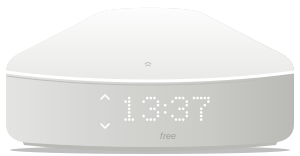 |
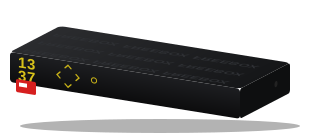 |
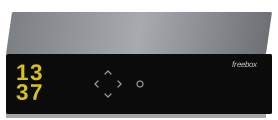 |
ultra (v9) |
pop (v8) |
delta (v7) |
revolution (v6) |
mini_4k |
Livebox (Orange)#
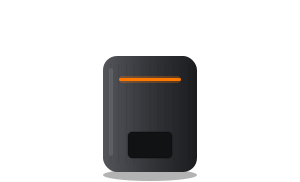
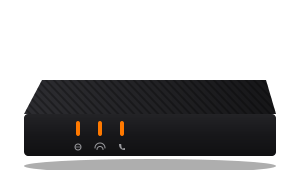
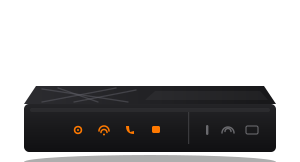
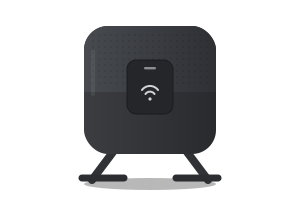
| Livebox 7 | Livebox 6 | Livebox 5 | Livebox 4 | Livebox S |
|---|---|---|---|---|
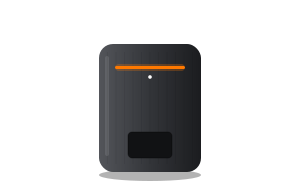 |
 |
 |
 |
 |
livebox_7 |
livebox_6 |
livebox_5 |
livebox_4 |
livebox_s |
SFR Box#
| SFR Box 8 | SFR Box 7 | SFR Box (NB6VAC) |
|---|---|---|
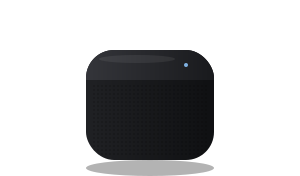 |
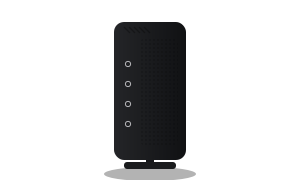 |
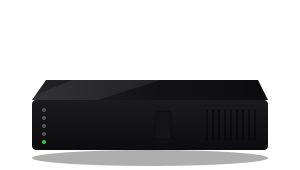 |
sfr_box_8 |
sfr_box_7 |
sfr_nb6vac |
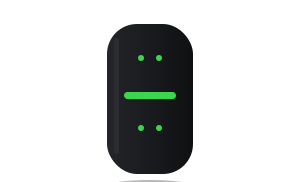
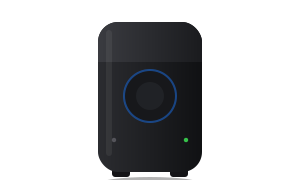
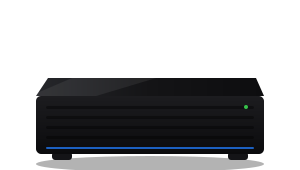
Bbox (Bouygues Telecom)#
The legacy Bbox integration (and its custom_bbox fork) exposes no device model: set the picture with the model option. With the Bouygues Bbox integration (hass-bbox2), the Bbox Wi-Fi 7 (Sagemcom F@st 5696b) is detected from its device model.
| Bbox Wi-Fi 7 | Bbox Fibre | Bbox Ultym | Bbox Miami |
|---|---|---|---|
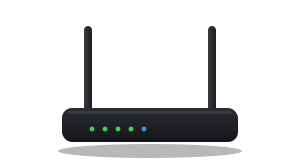 |
 |
 |
 |
bbox_wifi7 |
bbox_fibre |
bbox_ultym |
bbox_miami |
Germany#
FRITZ!Box#
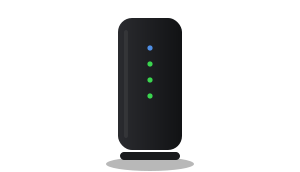
The model name comes from the device; the picture is a generic router, or a tower for the cable models (FRITZ!Box 6xxx).
| FRITZ!Box | FRITZ!Box Cable |
|---|---|
|
 |
fritz_box |
fritz_box_cable |
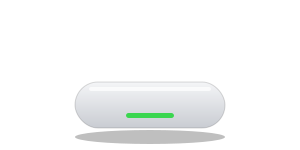
Vodafone Station (Germany, Italy, United Kingdom, Ireland)#
| Power Station | WiFi 6 Station | Ultra Hub | Gigabox | Vox 3.0 | H300S |
|---|---|---|---|---|---|
|
 |
|
|
|
|
vodafone_power_station |
vodafone_wifi6_station |
vodafone_ultra_hub |
vodafone_gigabox |
vodafone_vox |
vodafone_h300s |
Sagemcom F@st (by provider and country)#
The model number of the F@st gateway gives the provider, whose name, colour and links the card takes. An unknown F@st keeps the Sagemcom name with its own model number.
| Provider | Country | Box | model |
Picture |
|---|---|---|---|---|
| Telekom | Germany | Speedport Pro | telekom_speedport_pro |
|
| BT | United Kingdom | Smart Hub (F@st 5364) | bt_smart_hub |
|
| eir | Ireland | F3000 (F@st 5366SD) | eir_f3000 |
|
| Salt | Switzerland | FibreBox X6 (F@st 5688T) | salt_fibrebox_x6 |
|
| KPN | Netherlands | Experia Box 12 (F@st 5359) | kpn_experia_box_12 |
|
| KPN | Netherlands | F@st 4360Air | kpn_fast_4360 |
|
| DELTA Fiber / Zeelandnet | Netherlands | F@st 3890V3 | delta_fast_3890 |
|
| Proximus | Belgium | b-box 3 (F@st 3865b) | proximus_bbox3 |
|
| MásMóvil | Spain | F@st 5655V2 | masmovil_fast_5655 |
|
| Telia | Sweden | F@st 5370e | telia_fast_5370 |
|
| TDC | Denmark | F@st 5380 | tdc_fast_5380 |
|
| Bell | Canada | Home Hub 4000 (F@st 5689) | bell_home_hub_4000 |
|
| Bell | Canada | Home Hub 3000 (F@st 5566) | bell_home_hub_3000 |
|
| Optus | Australia | F@st 3864 | optus_fast_3864 |
|
| Other F@st | — | Its own model number | sagemcom_fast |
|
Switzerland#
Swisscom Internet-Box#
The integration has no entity for the box, so its model is not known: the Internet-Box picture is always shown.
| Internet-Box |
|---|
|
internet_box |
Netherlands#
KPN Box 12 (Livebox integration)#
| KPN Box 12 |
|---|
|
kpn_box_12 |
The KPN Experia boxes are Sagemcom F@st gateways, see above.
Any country: 4G / 5G and satellite#
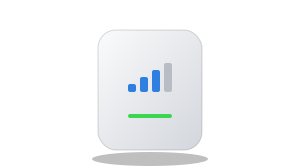
| Huawei LTE | ZTE Hyperbox 5G Lite | Starlink |
|---|---|---|
 |
|
 |
huawei_lte_router |
zte_mc8810 |
starlink |
How it works
How it works
The cards read the entity and device registries of Home Assistant and keep the entities of the supported box integrations (freebox, livebox, sfr_box, bbox (legacy or hass-bbox2) / custom_bbox, fritz, vodafone_station, swisscom, sagemcom_fast, huawei_lte, zte_hyperbox, starlink). Each box's sensors are recognized by their integration's own translation keys (for the Freebox: rate_down, rate_up, missed, wifi, partition_free_space, raid_degraded), so entity ids translated in another language (for example sensor.freebox_vitesse_de_telechargement) and renamed entities are supported. The legacy Bbox integration is a YAML platform without devices nor unique ids, so its sensors are not in the entity registry: they are found in the states by their entity-id suffix (_currently_used_download_bandwidth…). The Bouygues Bbox integration (hass-bbox2) shares the bbox domain and registers a device, but its sensors have no translation key: the box's own entities are matched by their entity-id suffix (_download_speed…). The box picture and the header logo, colour and links follow the detected operator, or the provider of the detected model (Sagemcom F@st and KPN boxes). A box with no rate sensor is found by its restart button (Sagemcom F@st); the Swisscom integration has only the trackers of the connected devices, so the integration itself is the box. On the ZTE Hyperbox, whose keys the card does not know, the rates are the data-rate sensors whose name says download / upload, and the connection and restart entities are found by their device class. A restart button with a translation key of its own is a reconnect button (FRITZ!Box, Vodafone), never taken for the reboot.
The box itself is the device of the download rate sensor (on a Livebox fibre line, which has no down_rate / up_rate sensor, the rates of the WAN_GPON, WAN_SFP or veip0 interface statistics sensors, never those of the Wi-Fi, Ethernet or DS-Lite interfaces; since the Livebox integration 3.0.0 they share the interface_rate_rx / interface_rate_tx key and the interface is read from the entity id). The Livebox missed calls are counted from the callmissed binary sensor's missed_calls list (its callers sensor counts every call, missed or not, and is only a fallback filtered on the missed ones). Temperature and fan sensors are recognized by their temperature device class and rpm unit, disk partitions by their parent device, and connected devices by the config entry they share with the box (with a single box, the connected devices trackers that have no device are counted too). The mark calls as read and reboot buttons are found by their translation key (the reboot button also by its restart device class). On a Freebox, the connection type, IP addresses and uptime come from the attributes of its device_tracker. The connection status comes from the integration's connectivity binary sensors when it has some (Livebox connectivity with its link_type attribute; SFR Box wan_status, else dsl_status / ftth_status, with the dsl_training, dsl_line_status and net_infra sensors), else from the box's device_tracker (Freebox). The Freebox integration gives the boot date without a time zone, in the system time zone of the Home Assistant process, and the card reads it in the time zone of Home Assistant (Settings → System → General). Both match on Home Assistant OS and Supervised; in a Docker container, start Home Assistant with TZ set to the same time zone (for example -e TZ=Europe/Paris), otherwise the uptime is off by the UTC offset. When the registry is not available, English Freebox entity ids (sensor.freebox_download_speed…) are used as a fallback.
Thresholds:
| Value | Orange | Red |
|---|---|---|
| Temperatures | 75 °C | 90 °C |
| Disk usage | 80 % | 90 % |
| Missed calls | 1 | — |
Temperatures are shown in the unit of their sensor (°F with the imperial unit system) and compared to these thresholds after conversion to °C.
Support
Support
If you find this project useful, you can support its development:

Changelog
All 64 versions 3.5.0Nov 12, 2026Latest
Features
- Speed test button (#107): a button next to the last speed test runs a new one. With Speedtest.net or Fast.com, it refreshes their sensors (the integration runs a test); with another speed test, it uses the entity set in
entities.speedtest.run(a button or aninput_buttonpressed, a script run, an automation triggered), also in the visual editor. Its icon turns, and it can't be pressed again, until the new results come (3 minutes at most), on every card of the page showing that speed test; a failed call stops it at once. The README screenshots show the speed test.
3.4.0Nov 12, 2026
Features
show_titleandshow_subtitleoptions (also in the visual editor) hide the header's title and its subtitle, separately, for a card placed under a section heading of its own (asked in juju35/ha-vehicle-card#72).
3.3.0Nov 11, 2026
Features
- Sensors of your choice (#100):
entitiessets the sensors of another speed test than Speedtest.net (speedtest:download,upload,ping, from LibreSpeed, Speedtest Tracker or a sensor of your own) and of the box's values (rate_down,rate_up,sync_down,sync_up,ip,boot,wifi,missed). The box rates and the speed test can be picked in the visual editor, under Sensors of your choice. - Fast.com: its last test (download) shows when Speedtest.net is not set up.
3.2.1Nov 11, 2026
Fixes
- Livebox on fibre not found with the Livebox integration 3.0.0 (#98): since that release every interface rate shares the translation key
interface_rate_rx/interface_rate_txinstead of one built from the interface name, so theWAN_GPON/WAN_SFPrates were no longer recognised. The WAN interface (WAN_GPON,WAN_SFP, orveip0on the boxes with a built-in ONT) is now also told by its name in the entity id, in any language; never a sub-interface nor the DS-Lite tunnel. The keys of the earlier releases still work. - Livebox 5 by Sagemcom (
SagemcomFast5656_OFR, "Livebox Fibre") detected and drawn as a Livebox 5, like the Arcadyan one.
3.2.0Nov 11, 2026
Features
- Bbox: the "Bouygues Bbox" integration (hass-bbox2, custom, config flow) is supported. It shares the
bboxdomain with the legacy platform but registers a device whose sensors have no translation key, so the box was not found (#93). Its download / upload rates, link status, public IPv4 / IPv6, uptime, Wi-Fi switch, connected devices and restart button are recognised by their entity-id suffix. - Bbox Wi-Fi 7 model (
bbox_wifi7, Sagemcom F@st 5696b), detected from the hass-bbox2 device model, drawn with the generic router silhouette.
3.1.0Nov 10, 2026
Features
- The header icon takes the colour of the internet link state, like the status pill: green online, orange while the DSL line syncs, red offline or on a line fault, grey when unavailable. It keeps the operator colour when the box exposes no link state. On both the full and the mini card.