
The current UV index with an animated icon and the WHO risk level.
A small card for the UV index: an animated weather-style icon for every level from 0 to 11+, the value and the WHO risk level in its colour.
Highlights
- Animated icon for every UV index, bundled in the card
- WHO risk level from Low to Extreme, in the level's colour
- UV sensors or weather entities such as Met.no
- Max UV of the day and the sun protection window, highlighted while protection is needed
- Horizontal or vertical layout, transparent mode
- Sections view support and card picker preview
Cards
type: custom:ha-uv-cardInstall
- 1Open the repository in the Marketplace with the Add to Marketplace button above, or add
github.com/juju35/ha-uv-cardas a custom repository (category Dashboard). - 2Download it from the Marketplace.
- 3Reload the browser and add the card from the dashboard editor.
Gallery 9
Documentation
From the README Features
Features
- Animated icon for every UV index from 0 to 11+ (Meteocons), bundled in the card file
- Value and WHO risk level (Low, Moderate, High, Very High, Extreme) in the level's colour
- Horizontal or vertical layout, transparent mode, top alignment for stacks
- Sections view support, card picker entry with preview
- Optional daily max UV and sun protection window line (e.g. from OpenUV)
- Tap to open the sensor's more-info dialog
- 22 languages, following Home Assistant's language setting
Prerequisites
Configuration
Configuration
type: custom:ha-uv-card
entity: sensor.uv_index
Options reference#
| Name | Type | Default | Description |
|---|---|---|---|
entity |
string | required | A sensor whose state is the UV index (0–11+), or a weather entity, whose uv_index attribute is read. |
name |
string | entity friendly name | Title shown on the card. |
show_title |
boolean | true |
Show the title (the name), e.g. false under a section heading of your own. |
max_entity |
string | — | A sensor with the day's maximum UV index (OpenUV sensor.*_max_uv_index). Shows "Max 8 · 13:20" under the value, the time from its time attribute. |
protection_entity |
string | — | A binary sensor for the sun protection window (OpenUV binary_sensor.*_protection_window). Shows its start_time–end_time, highlighted while it is on; without times, "Protection needed" while it is on. |
show_value |
boolean | true |
Show the numeric UV value. |
show_label |
boolean | true |
Show the risk label (Low … Extreme). |
layout |
string | horizontal |
horizontal (text to the right) or vertical (text below the icon). |
transparent |
boolean | false |
Remove the card background, border and shadow. |
align |
string | center |
center or top. Vertical alignment of the content inside the card, which fills its cell in the sections view — use top to line the card up with others in a horizontal-stack. |
language |
string | Home Assistant UI | Force a language code (e.g. fr). Defaults to your HA UI. |
With OpenUV, the max UV and the protection window go on a line under the value (times follow Home Assistant's 12/24 h and time zone settings):
type: custom:ha-uv-card
entity: sensor.openuv_current_uv_index
max_entity: sensor.openuv_max_uv_index
protection_entity: binary_sensor.openuv_protection_window
With Met.no (or another weather integration that provides the UV index):
type: custom:ha-uv-card
entity: weather.forecast_home
Risk levels#
| Icon | UV index | Level | Color |
|---|---|---|---|
 |
0–2 | Low | green |
 |
3–5 | Moderate | yellow |
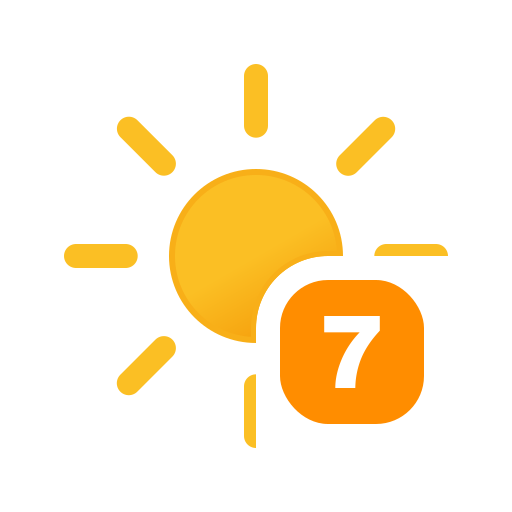 |
6–7 | High | orange |
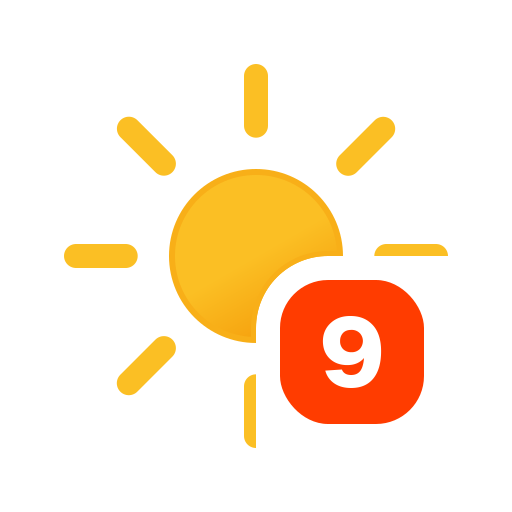 |
8–10 | Very High | red |
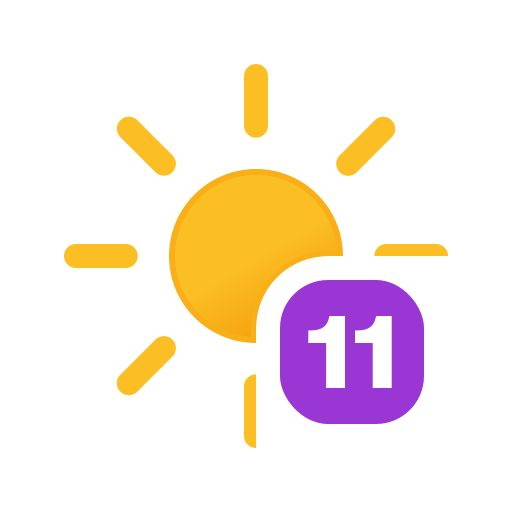 |
11+ | Extreme | purple |
How it works
How it works
The card reads the sensor's state (or a weather entity's uv_index attribute), rounds it, then uses that rounded value both to pick one of the 12 icons (0 to 11, higher values use 11) and to map it to the WHO bands, so the value, icon and risk level always agree. The card is built once; afterwards it only updates its text, colour and layout attributes when the state, name, language or configuration change, and swaps the icon only when the rounded index changes, so the icon animation doesn't restart on every Home Assistant update. The animation is paused while the card is off-screen or the browser tab is hidden. Any non-numeric or empty state shows the unavailable icon, labelled "Unknown" while the sensor has not reported yet (unknown) and "Unavailable" otherwise; a negative reading shows 0.
Support
Support
If you find this project useful, you can support its development:

Changelog
All 24 versions 1.9.0Nov 12, 2026Latest
Features
show_titleoption (also in the visual editor) hides the card's title (the name), for a card placed under a section heading of its own (asked in juju35/ha-vehicle-card#72).
1.8.1Nov 9, 2026
Fixes
- Translations: the cards are defined once the page's language file has arrived (at most 1.5 s; Home Assistant builds a card when its element gets defined), so the first render is already translated instead of English then redrawn; until a language file is in, a missing text reads the English one wherever the card has no fallback of its own.
1.8.0Nov 9, 2026
Performance
- Translations load on demand: the bundle keeps English only (63 KB → 52 KB) and each other language is its own
ha-uv-card.i18n.<lang>.jsfile next to it, fetched the first time a card needs it. Home Assistant loads every dashboard resource on every dashboard, so each page used to download and parse all 22 languages to use one. Until a language file has arrived (a few milliseconds), texts fall back to English, and the cards redraw once it is there.
Maintenance
- Build:
scripts/i18n-split.mjssplits the built bundle and rebuilds every table from the split files to check them (the build fails on any difference);src/keeps every language as before. - Release: every file of
dist/is attached. Manual installation copies the translation files too.
1.7.1Nov 8, 2026
Fixes
- A sensor that has not reported yet (
unknownstate) is now labelled "Unknown", in every language, instead of "Unavailable", which stays for a sensor that is offline.
1.7.0Nov 7, 2026
Changes
- The card accepts a weather entity (Met.no and others) and reads its
uv_indexattribute; before, only sensors could be picked although the README listed Met.no. - New
max_entityandprotection_entityoptions show the day's max UV and the sun protection window (e.g. from OpenUV) on a line under the value, highlighted while protection is needed. - The icon animation is paused while the card is off-screen or the browser tab is hidden, which saves CPU.
1.6.9Nov 4, 2026
Documentation
- README: images and links use absolute URLs, so the screenshots, icons, badges and links display in HACS (relative paths broke there).
- README: screenshots get a display size, so cards no longer show oversized in HACS and on GitHub.